Redragon S101M-KS Gaming Keyboard and Mouse Wireless with Tri-Mode, RGB Keyboard and 4800 DPI Gaming Mouse, 10 Independent Multimedia Keys for Wins, PC, Computer, Wireless S101 Ideal for Gamer
Redragon S101M-KS Gaming Keyboard and Mouse Wireless with Tri-Mode, RGB Keyboard and 4800 DPI Gaming Mouse, 10 Independent Multimedia Keys for Wins, PC, Computer, Wireless S101 Ideal for Gamer thumbnail Redragon S101M-KS Gaming Keyboard and Mouse Wireless with Tri-Mode, RGB Keyboard and 4800 DPI Gaming Mouse, 10 Independent Multimedia Keys for Wins, PC, Computer, Wireless S101 Ideal for Gamer thumbnail Redragon S101M-KS Gaming Keyboard and Mouse Wireless with Tri-Mode, RGB Keyboard and 4800 DPI Gaming Mouse, 10 Independent Multimedia Keys for Wins, PC, Computer, Wireless S101 Ideal for Gamer thumbnail Redragon S101M-KS Gaming Keyboard and Mouse Wireless with Tri-Mode, RGB Keyboard and 4800 DPI Gaming Mouse, 10 Independent Multimedia Keys for Wins, PC, Computer, Wireless S101 Ideal for Gamer thumbnail Redragon S101M-KS Gaming Keyboard and Mouse Wireless with Tri-Mode, RGB Keyboard and 4800 DPI Gaming Mouse, 10 Independent Multimedia Keys for Wins, PC, Computer, Wireless S101 Ideal for Gamer thumbnail Redragon S101M-KS Gaming Keyboard and Mouse Wireless with Tri-Mode, RGB Keyboard and 4800 DPI Gaming Mouse, 10 Independent Multimedia Keys for Wins, PC, Computer, Wireless S101 Ideal for Gamer thumbnail
Redragon S101M-KS Gaming Keyboard and Mouse Wireless with Tri-Mode, RGB Keyboard and 4800 DPI Gaming Mouse, 10 Independent Multimedia Keys for Wins, PC, Computer, Wireless S101 Ideal for Gamer
$54.99

Coupon : Apply 15% coupon

Rating: 4.5 ★ (1501 reviews)

Availability: In Stock

Brand: Redragon

Category: Video Games PC Accessories Gaming Keyboards

SKU: Black-New

Promotion Hot Sale New Arrival

Product description

How do I download the S101M-KS driver software?

Step 1: Visit the official Redragon website: Redragon.com

Step 2: Click the “Downloads” section, search for the model “S101M-KS” to download the software driver

Note: Software drivers for keyboards and mice must be downloaded separately

How do I connect a wireless keyboard?

Slide the power switch on the back of the keyboard to the ON position

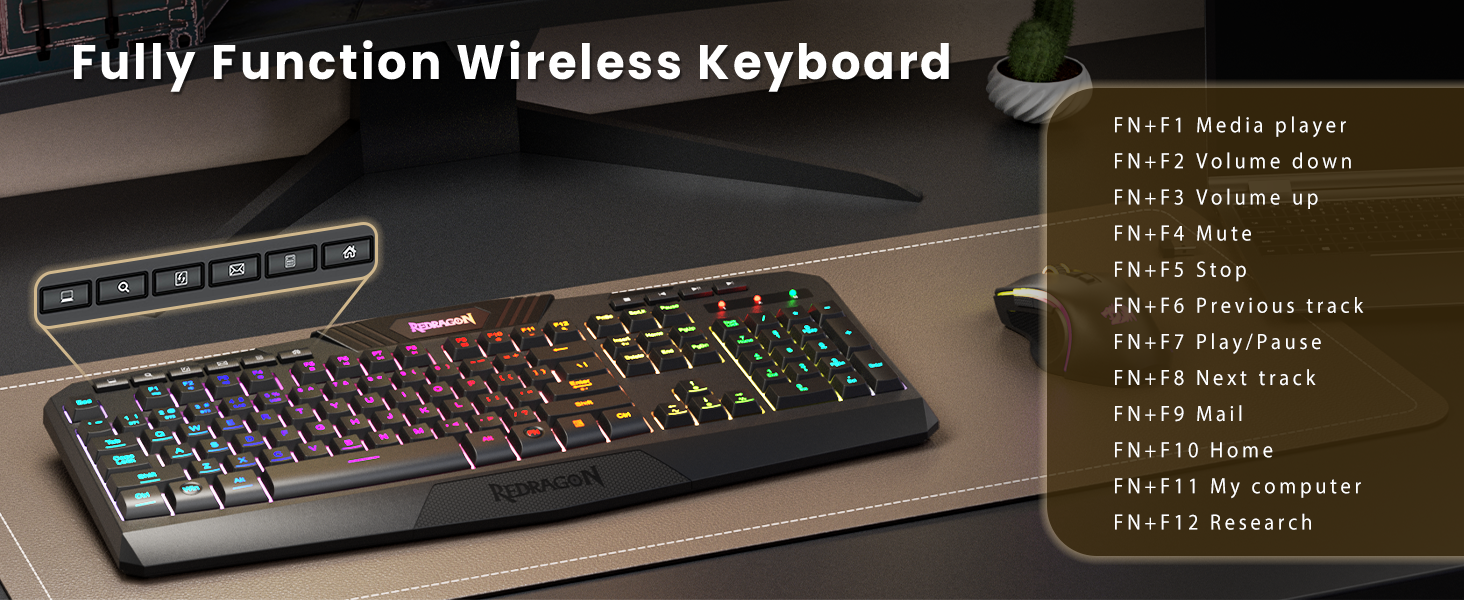
2.4G - Insert the receiver and press and hold FN+4 (if automatic pairing does not occur)

Bluetooth - Press and hold FN+1/2/3 and search for the device on your computer to connect

How do I connect a wireless mouse?

Switch the mode selector on the mouse's underside to the corresponding position

2.4G - Mouse will automatically connect after inserting the receiver

BT - Set the switch to BT mode, press and hold the “Pair BT” button for three seconds, then connect

Where can I find a 2.4 GHz receiver?

The S101M-KS's 2.4G receiver is located in the slot on the back of the keyboard. This receiver is a dual-function receiver, allowing you to connect both the keyboard and mouse simultaneously in 2.4G mode

From the brand

Recently Viewed

Guess You Like